TL;DR
- Upload evidence (resume, GitHub repos, schoolwork, projects) and run it through the Analysis tab to see how closely it matches target jobs.
- The check itself takes a few minutes once evidence is uploaded and processed.
- A resume, a few project files or GitHub repos, and a free ApplyJobGPT account are needed before starting.
- By the end, a clear picture exists of which skills are strongest, which jobs the profile is closest to, and which gaps need filling before applying.
Who This Tutorial Is For
This is built for students applying to internships who are not sure whether their resume actually supports the roles they want, and for recent graduates applying to entry-level jobs who keep getting silence after submitting applications. It is also useful for early-career job seekers trying to figure out, before spending an hour tailoring a cover letter, whether the underlying evidence is even strong enough for that specific role. Anyone tired of guessing whether a resume "looks right" without a way to check it against real job listings will find this useful.
What Is Needed Before Starting
Before using the Analysis tab, add the evidence that ApplyJobGPT should check against target jobs.
- A resume, even if it is only a rough draft
- A GitHub repository, schoolwork file, project PDF, coursework document, certificate, or any other project/experience file
- A free ApplyJobGPT account
- A few minutes to review the Analysis results and see how the uploaded evidence connects with target jobs
Why This Feature Helps
Most students upload a resume, submit it to a handful of jobs, and hope it works. There is rarely a way to check, before applying, whether the resume actually supports the type of role being targeted.
The normal way of figuring this out is slow and indirect: applying, waiting weeks for a response, and only learning something is off after a string of rejections with no explanation. By that point, the job description that prompted the application is long gone, and the lesson does not transfer cleanly to the next one.
A second problem sits underneath the first: important details in a job description often go unnoticed. A posting that emphasizes "data-driven decision making" or "cross-functional collaboration" carries signals that a quick skim misses, and a resume that does not reflect those signals quietly loses ground before a human ever reads it.
ApplyJobGPT's Analysis tab is built to shorten that feedback loop. It organizes uploaded evidence, finds the skill signals inside it, and compares that evidence directly against job listings, so the gap between what a profile shows and what a job actually wants becomes visible before an application gets sent.
This does not replace judgment. The Analysis tab shows where the evidence is strong and where it is thin; deciding what to do with that information, and reviewing every resume or cover letter built from it, still falls to the person applying.
Step-by-Step: How to Know If a Resume Matches the Job
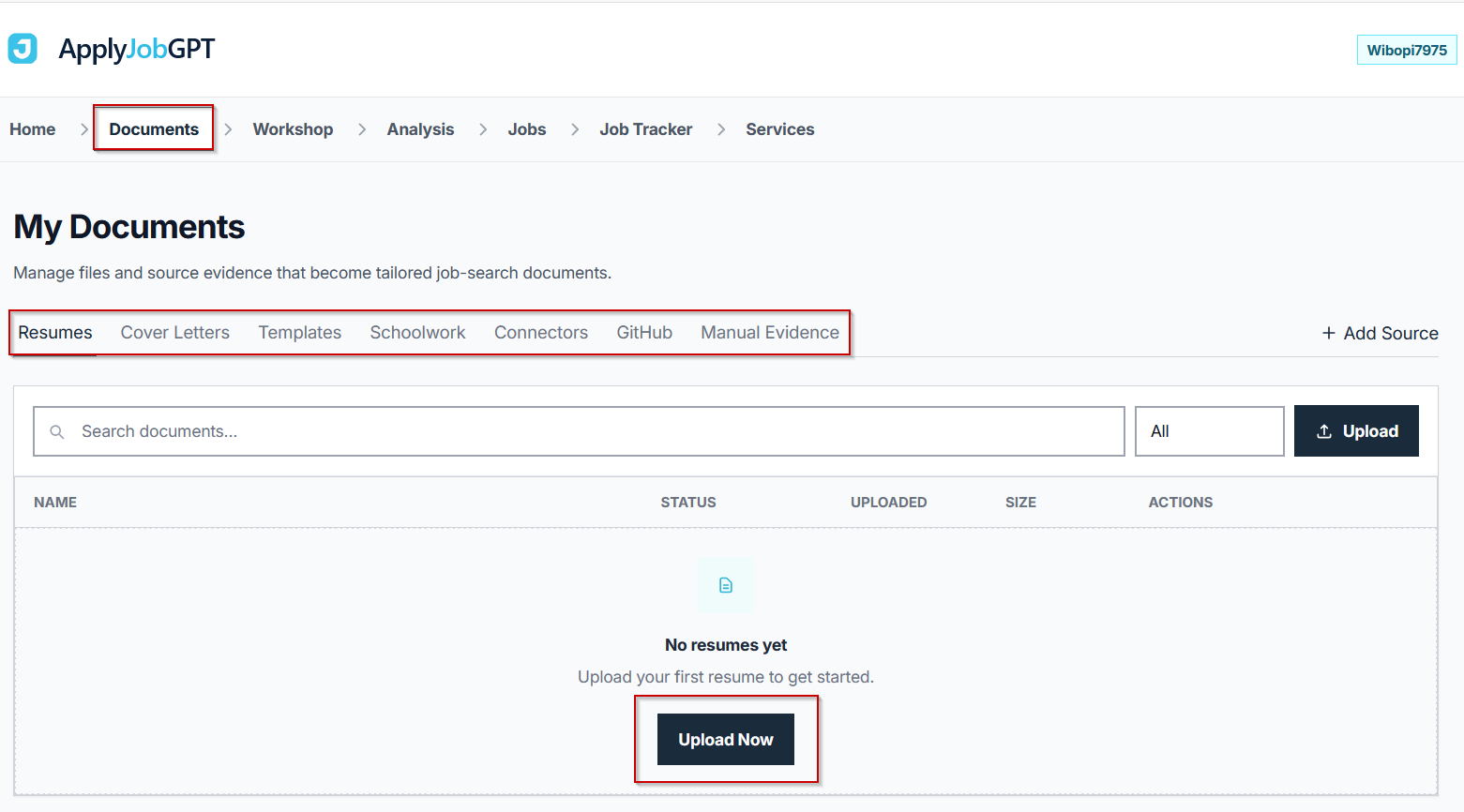
After logging in to ApplyJobGPT, go to the Documents tab. This is where students can add the evidence they want ApplyJobGPT to analyze.
Students can upload a resume, add schoolwork files such as PDFs or project documents, import GitHub repositories, or add manual evidence like projects, certificates, coursework, or experience.
For this walkthrough, start with the Resumes tab and upload a resume first.
Step 2 — Open the Analysis Tab
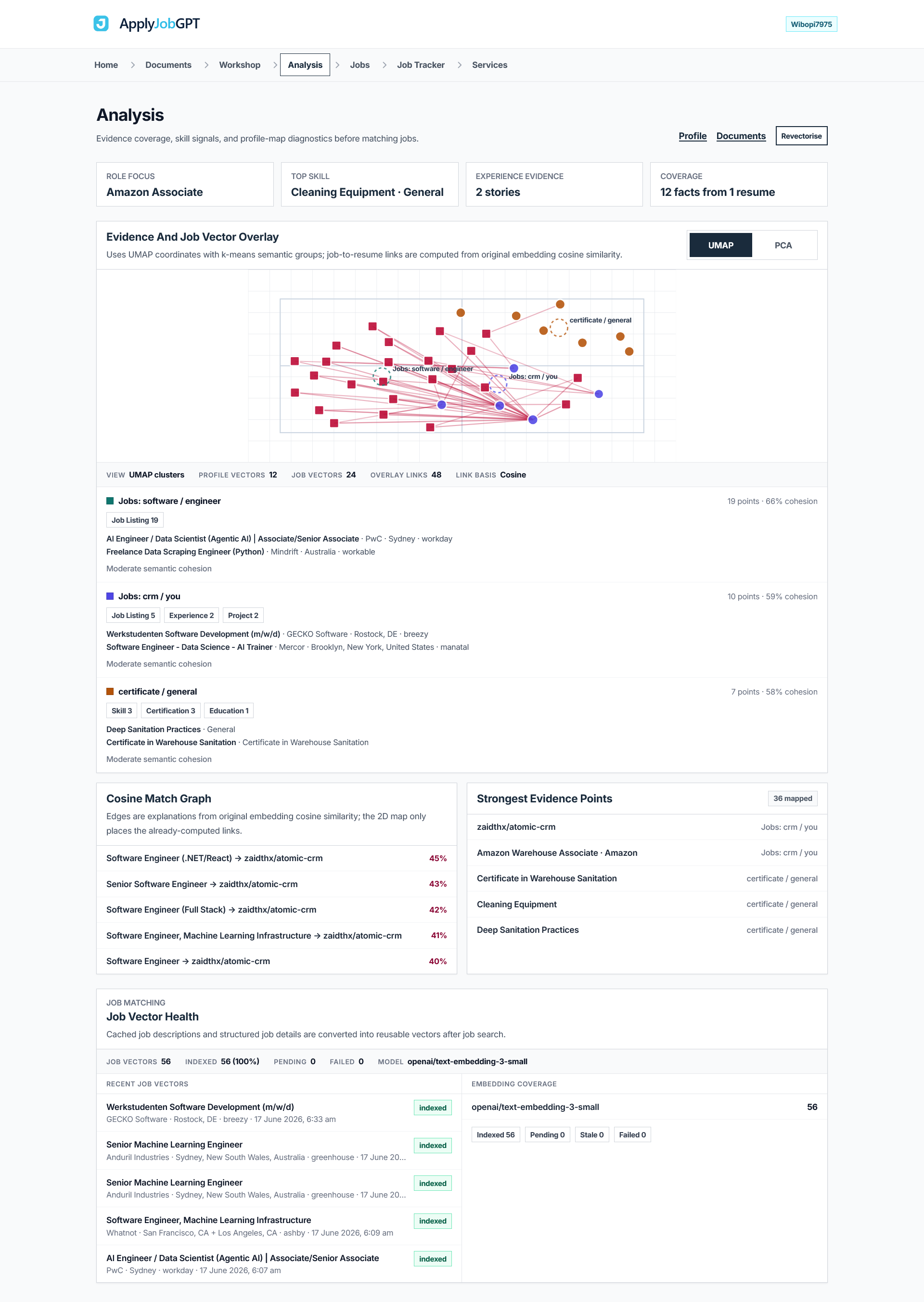
After the resume, GitHub repository, schoolwork file, project PDF, or other evidence has been uploaded and processed, open the Analysis tab from the top navigation bar.

The Analysis page reviews everything added in the Documents area and compares it with the jobs being targeted. It looks at the resume, projects, GitHub repos, schoolwork, certificates, coursework, and experience details, then shows how strongly that evidence connects with job listings.
This page helps answer one main question: does the uploaded evidence actually support the jobs being applied for?
Role Focus
The Role Focus section shows the main career direction ApplyJobGPT detects from the uploaded evidence.
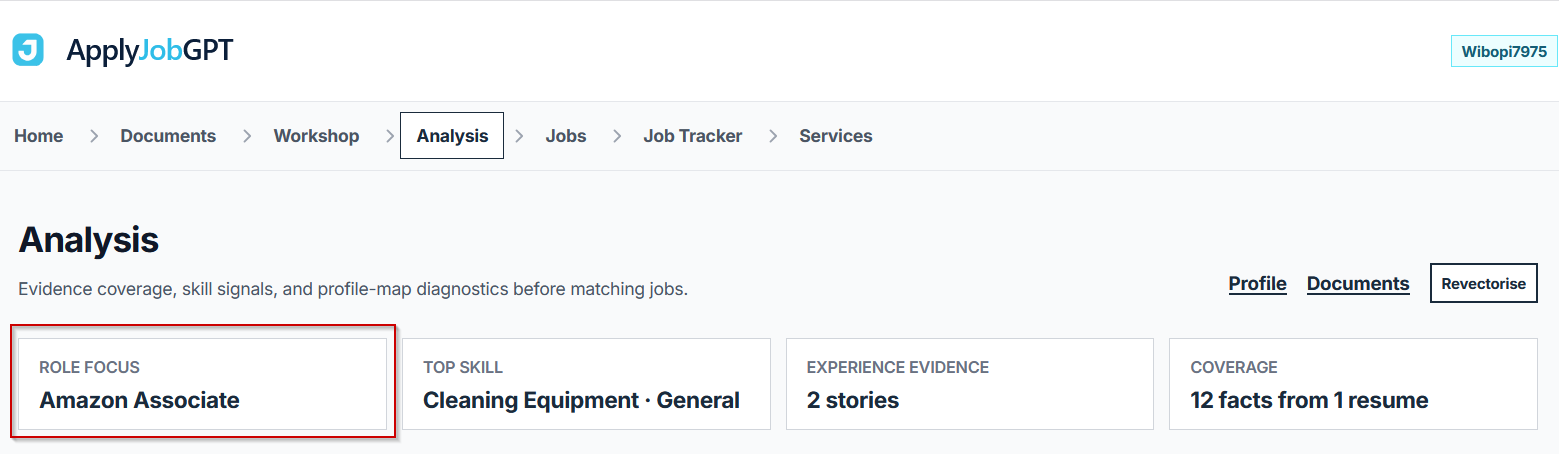
For example, if the resume and projects mostly mention software projects, APIs, databases, or GitHub work, the role focus may lean toward software engineering. If the uploaded evidence contains coursework, certificates, or work history in another area, the role focus may shift in that direction.
This is useful because it shows whether the profile is pointing toward the same type of jobs the student wants to apply for. If the role focus does not match the target job, the student may need to add stronger or more relevant evidence.
Top Skill
The Top Skill section shows the strongest skill or topic found from the uploaded material.
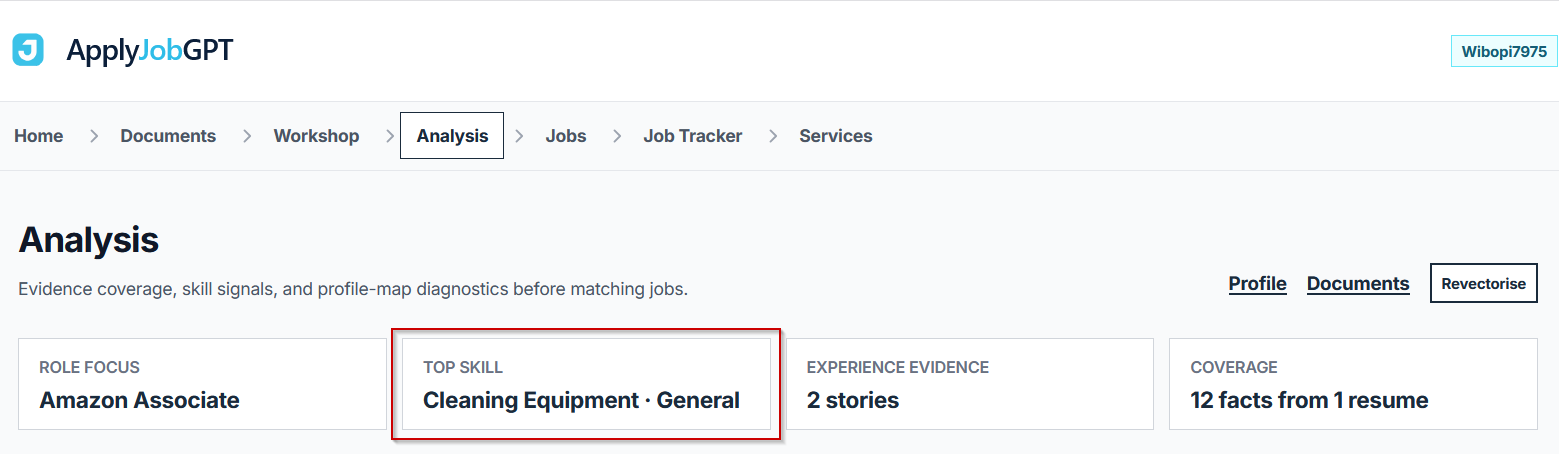
This can come from the resume, GitHub repositories, schoolwork files, certificates, project documents, or manual evidence. For example, it may show a technical skill, a project area, a tool, or a work-related topic.
This helps the student quickly understand what ApplyJobGPT sees as the clearest skill signal in the current profile.
Experience Evidence
The Experience Evidence section shows how many useful experience stories ApplyJobGPT found.
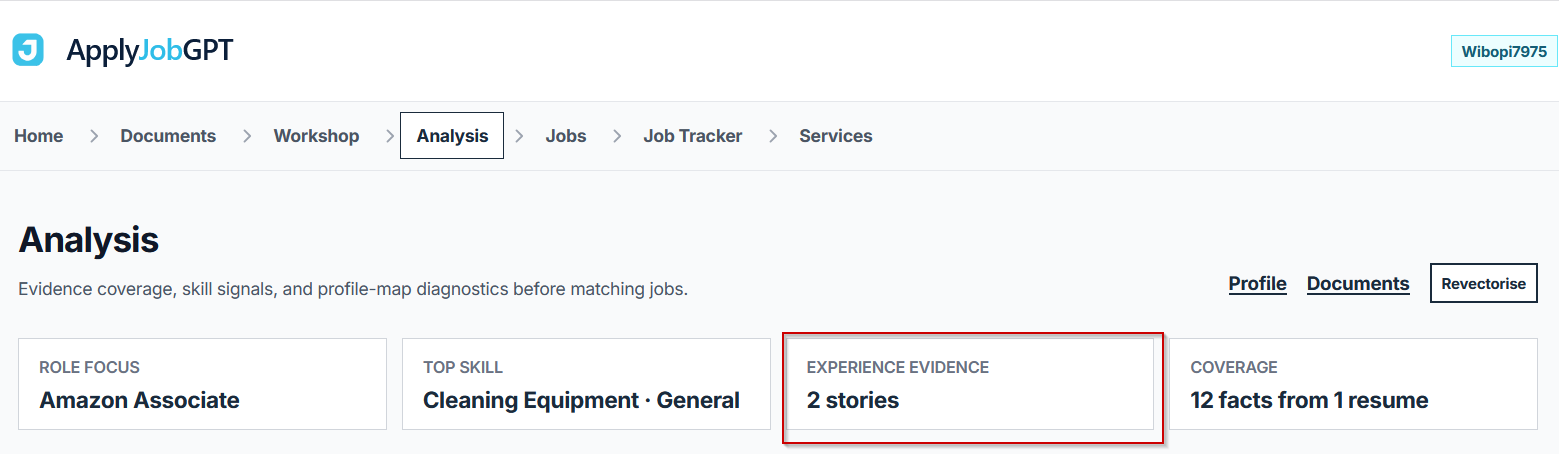
These stories matter because they can support resume bullets, cover letter examples, and interview answers. A story can come from a job, internship, school project, GitHub repo, coursework file, certificate, or any real experience added to the profile.
If this number is low, it usually means the student should add more detailed evidence before applying.
Coverage
The Coverage section shows how many facts ApplyJobGPT extracted from the uploaded documents.
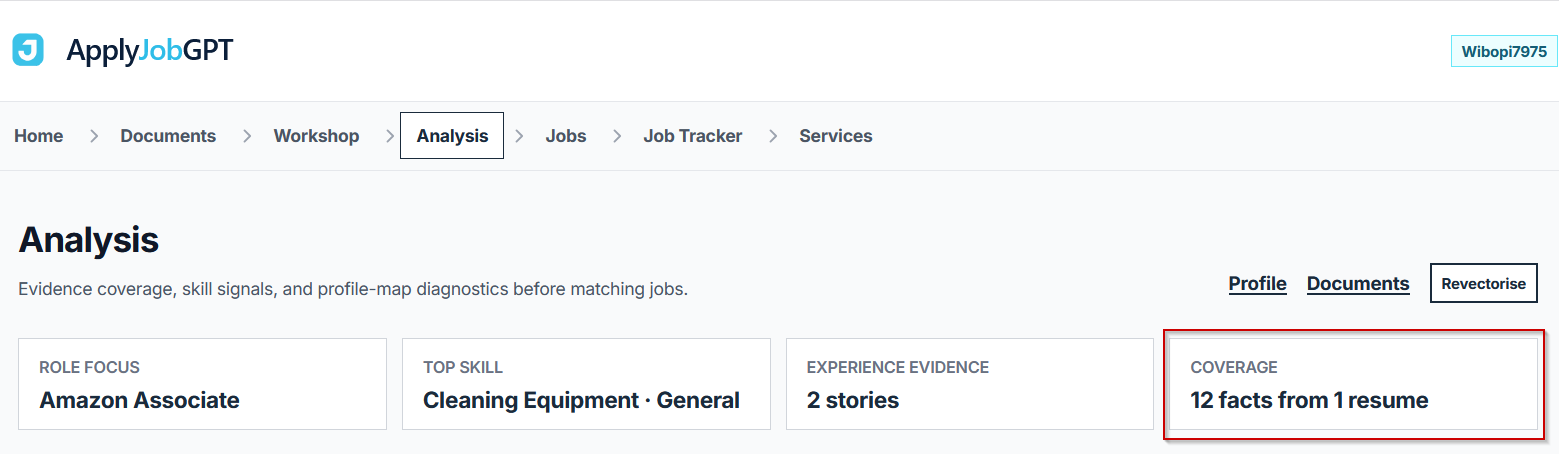
Facts can include skills, projects, tools, job titles, responsibilities, achievements, coursework, certificates, and other useful details. More relevant facts give the system more material to compare against jobs.
If coverage is weak, the resume or project files may be too thin, or the student may need to upload more evidence.
Evidence and Job Vector Overlay
The Evidence and Job Vector Overlay is the main graph on the Analysis page.
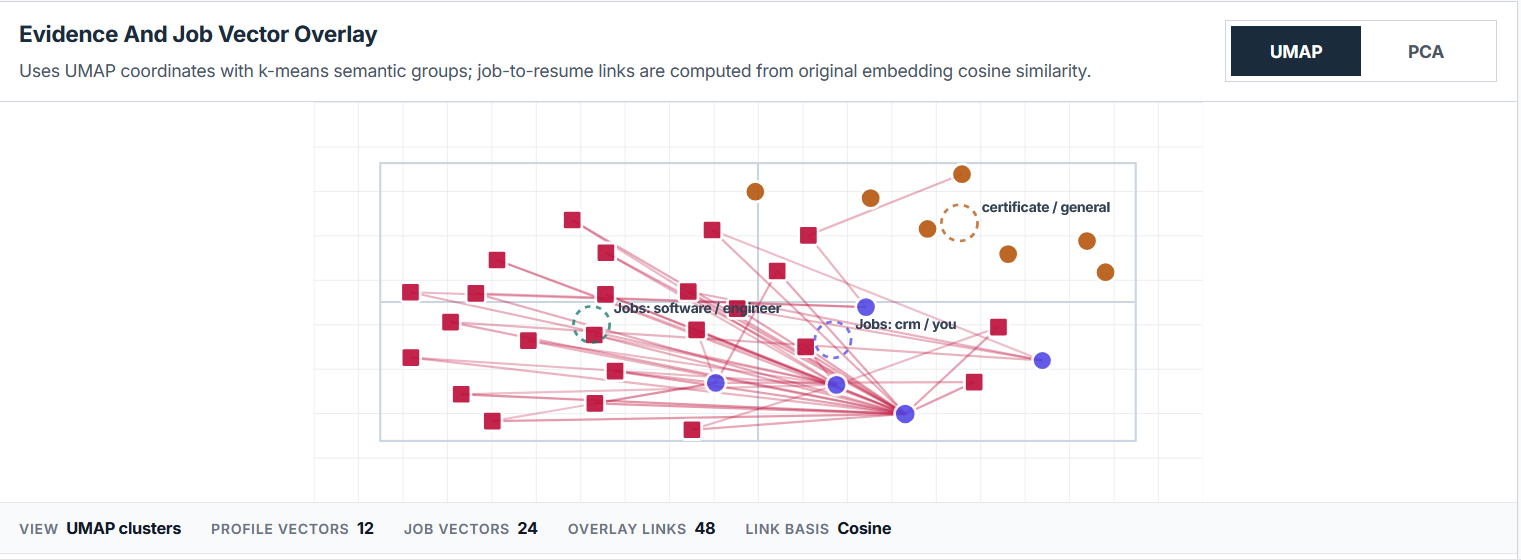
It compares two things:
- the student’s evidence, such as resume details, GitHub repos, schoolwork, projects, certificates, and experience
- the jobs and job descriptions being targeted
ApplyJobGPT converts both sides into comparable signals and places them on the graph. When evidence appears close to a job group, it means that evidence is more related to that job type. When evidence appears far away, it may mean the current profile does not strongly support that job yet.
This makes the job match easier to understand visually. Instead of guessing whether a project or resume detail is useful, the student can see how close it is to the jobs they want.
Job Clusters
The Job Clusters section groups similar jobs together.
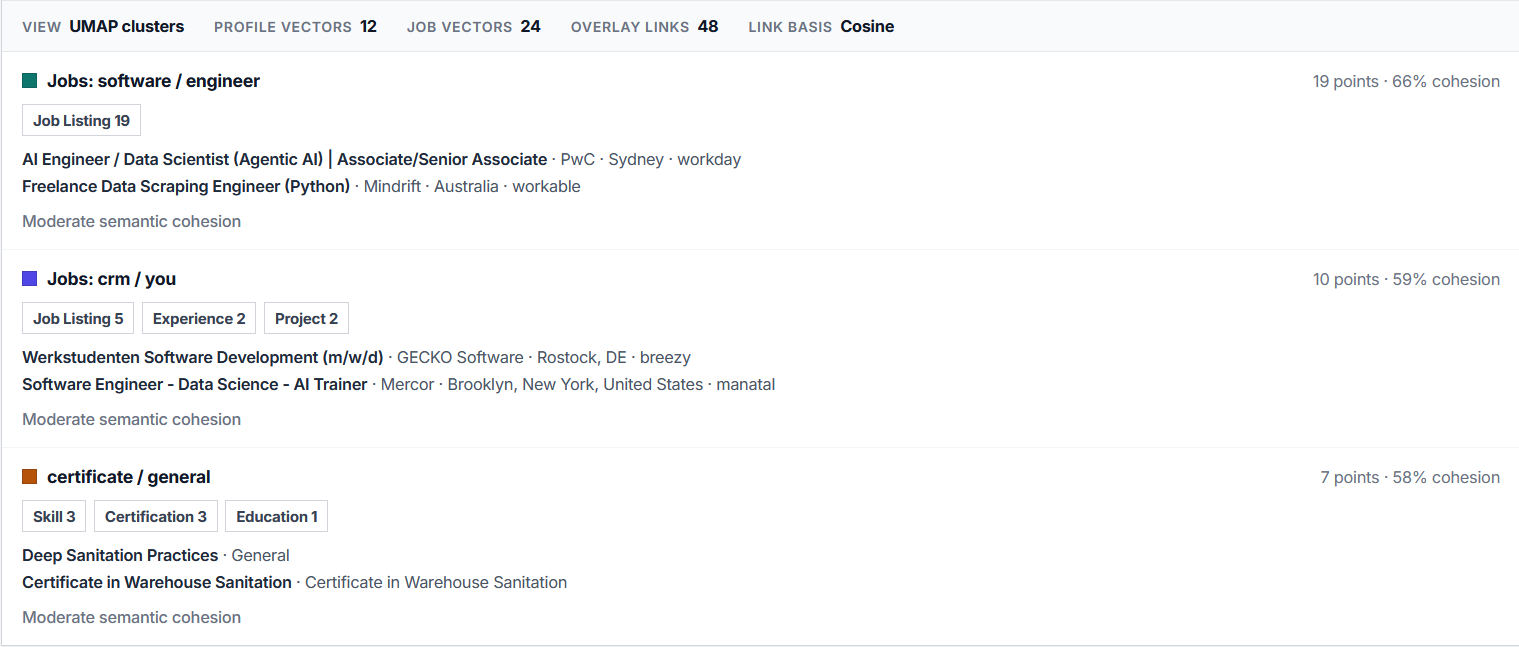
For example, jobs may be grouped around software engineering, CRM, data science, education, general work, backend development, or another area depending on the uploaded evidence and available job listings.
Each cluster shows how many points are connected and how closely related the jobs and evidence are. A stronger cluster means the profile has clearer evidence for that type of role.
This helps students understand which job types their current evidence supports best.
Cosine Match Graph
The Cosine Match Graph shows the strongest matches between specific jobs and specific evidence points.
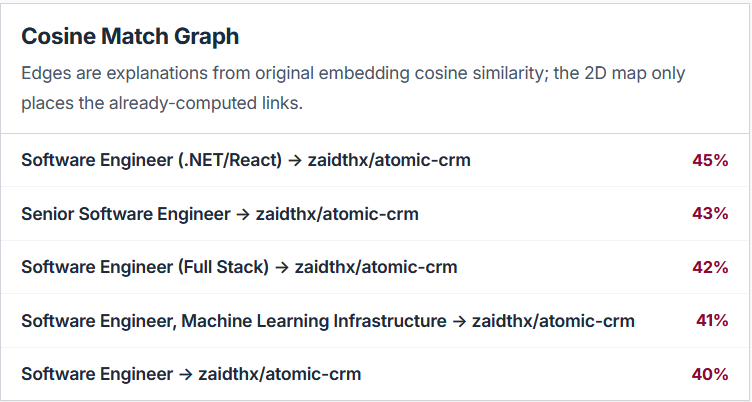
For example, it may show that a software engineering job is strongly connected to a GitHub project, or that a general role is connected to a resume experience entry.
The percentage shows how close the match is. A higher percentage means that evidence is more relevant to that job.
This section is useful when deciding which project, GitHub repo, schoolwork file, or resume experience should be highlighted in a resume or cover letter for a specific job.
Strongest Evidence Points
The Strongest Evidence Points section shows the most useful evidence ApplyJobGPT found from the uploaded material.
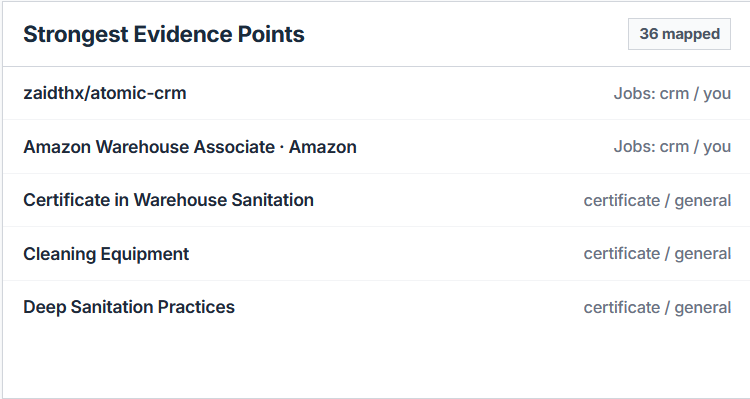
This can include GitHub repositories, resume experience, schoolwork projects, certificates, technical skills, coursework, project names, or work history.
This section is important because it shows what the system currently sees as the strongest proof in the student’s profile. If the strongest evidence points do not match the target jobs, the student should add better project files, update the resume, import more relevant GitHub repos, or add more specific experience details.
Job Vector Health
The Job Vector Health section shows whether job listings have been processed and are ready for matching.
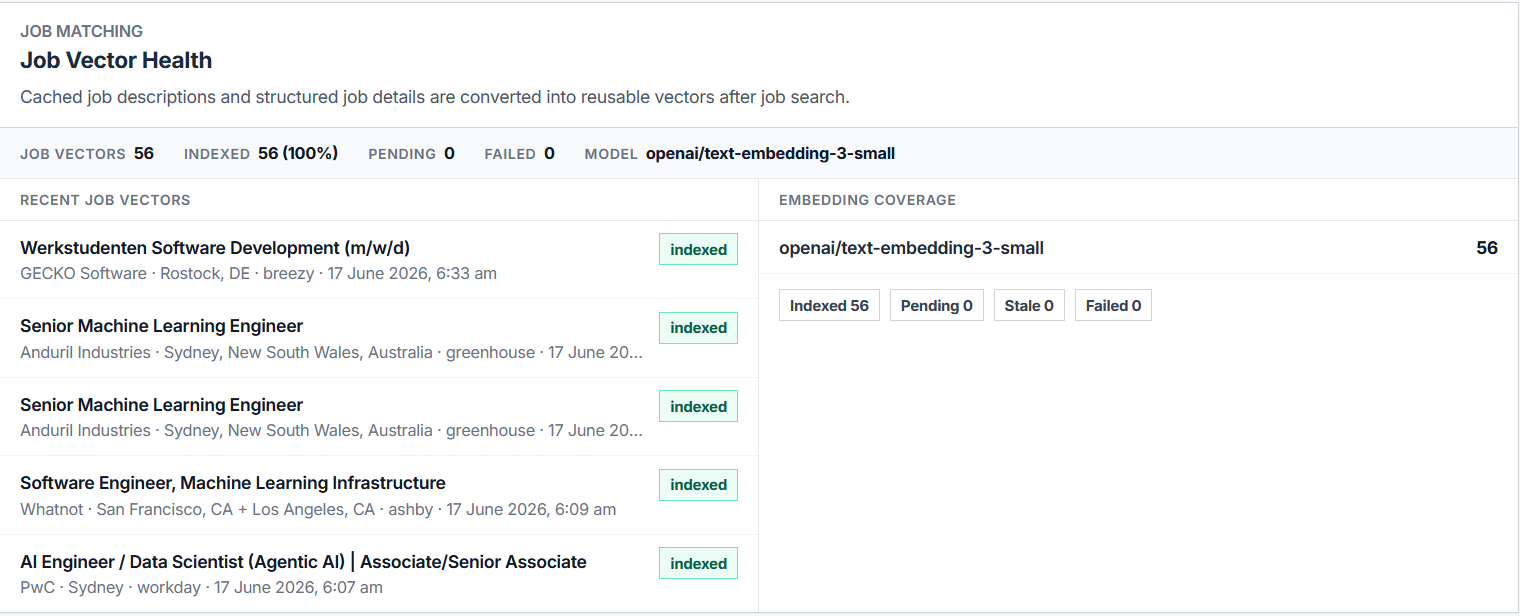
In simple terms, ApplyJobGPT turns job descriptions into reusable matching data. When the jobs are indexed, the system can compare them against the student’s resume, projects, GitHub repos, schoolwork, and other evidence.
This section confirms that the job matching system has enough processed job data to run the analysis properly.
What to Do After Reviewing the Analysis
After reviewing the Analysis page, the student should look for weak areas.
If the role focus is wrong, coverage is low, evidence points are weak, or the job clusters do not match the target roles, the next step is to go back to the Documents tab and add stronger evidence.
This can include an updated resume, GitHub repositories with clear README files, schoolwork project PDFs, final year project documents, certificates, coursework, internship experience, part-time work experience, or technical project write-ups.
After adding more evidence, the student can return to the Analysis tab and check whether the results improved. Once the analysis looks stronger, the same evidence can be used to build a more targeted resume, cover letter, and interview prep.
Example Walkthrough
Reader: A final-year marketing student applying for a digital marketing internship at a mid-size consumer brand.
Goal: Confirming the resume and supporting evidence actually support a marketing-focused role before spending time tailoring a cover letter.
Starting material: A resume listing a part-time retail job, one marketing coursework project analyzing a small business's social media presence, and a certificate from a free digital marketing course.
Job description focus: Social media strategy, basic analytics, and content planning.
After uploading the resume, the coursework project file, and the certificate, the Analysis tab showed Role Focus leaning toward general business rather than marketing specifically, with Coverage on the lower end. The Strongest Evidence Points list surfaced the retail job above the marketing coursework project, which did not match the target role well. After adding a short write-up of the coursework project that specifically named the social platforms analyzed and the metrics tracked, Role Focus shifted toward marketing and the coursework project moved to the top of the Strongest Evidence Points list.
| Before | After |
|---|---|
| "Worked retail job, completed marketing coursework." | "Analyzed a local business's Instagram and TikTok performance over one semester, tracking engagement rate and follower growth to recommend a revised posting schedule." |
| Role Focus: general business | Role Focus: marketing, with the coursework project as the top-ranked evidence point |
Common Mistakes to Avoid
| Mistake | Why It Hurts | Better Approach |
|---|---|---|
| Uploading only a thin resume and skipping other evidence | Coverage stays low, which weakens every comparison the Analysis tab runs | Add GitHub repos, schoolwork files, or certificates alongside the resume |
| Ignoring a mismatched Role Focus card | A profile pointing toward the wrong role type will keep producing weak job matches across the board | Add evidence specifically aligned with the intended target role |
| Treating one Analysis check as final | A profile's strength changes as new evidence gets added; checking only once misses that | Re-run the Analysis tab after adding new material |
| Picking a project to highlight without checking the Cosine Match Graph | The most personally favorite project is not always the one with the strongest match to a specific job | Use the percentage match for that specific job to decide which evidence to lead with |
| Assuming a strong Analysis result means the resume is finished | Analysis shows whether evidence supports a role; it does not write or polish the actual resume or cover letter | Use the Analysis results as input, then build and review the actual documents separately |
| Adding evidence that does not reflect real skills or work | Strongest Evidence Points and job matches built on inaccurate material will mislead the applicant, not help them | Only add real, verifiable resume facts, projects, and experience |
Where ApplyJobGPT Fits in the Workflow
ApplyJobGPT is useful here because it moves the process from scattered, hard-to-compare information (a resume, some GitHub links, a folder of schoolwork) into one workflow that can be checked against real job listings before anything gets submitted. Resume details, career history, studies, projects, and job preferences can all be added to one profile, then compared directly against the jobs being targeted.
Beyond the Analysis tab covered in this tutorial, the platform supports:
- Matching a profile against relevant job postings
- Tailoring resume content to a specific job description
- Generating cover letters from real background and project history
- Identifying missing keywords or weak sections before submitting
- Tracking applications instead of managing a spreadsheet manually
Final Checklist Before You Apply
- The resume is tailored to this specific role, not a generic version
- The cover letter mentions the specific company and role
- Every example and claim is real and accurate
- Contact details are correct and current
- The file format matches what the job posting requests
- The application has been saved or logged in a tracker
- Everything has been reviewed once more before submitting
FAQs
Can ApplyJobGPT apply to jobs automatically?
No. The Analysis tab and the rest of the platform help check evidence quality, identify gaps, and build stronger application materials. Submitting the actual application remains a manual step.
Should the resume or cover letter still be reviewed after checking the Analysis tab?
Yes. The Analysis tab shows whether the underlying evidence supports a target role, but it does not write or finalize a resume or cover letter. Reading through any document built from this evidence for accuracy and tone before sending is still necessary.
Can students with limited work experience use this feature?
Yes. Coursework, school projects, GitHub repositories, certificates, volunteering, and part-time work all count as real evidence. The Analysis tab is built specifically to surface and compare exactly this kind of material, which matters most for students who do not yet have a long formal work history.
Does this only work for one type of job or industry?
No. Role Focus and job clusters adapt to whatever evidence and job listings are present, which means the same Analysis tab can support software engineering, marketing, data analytics, education, or other fields, depending on what gets uploaded and compared.
Is a credit card required to try this?
No credit card is required for the free trial as of this writing. Checking the current pricing page before signing up is a good habit, since terms can change.
What should happen if the Analysis results look weak?
Returning to the Documents tab and adding stronger evidence is the recommended next step. This can include an updated resume, GitHub repositories with clearer documentation, schoolwork project files, certificates, or work experience. After adding new material, re-checking the Analysis tab confirms whether the results improved.
Conclusion
Knowing whether a resume actually matches a target job, before submitting anything, comes down to a clear sequence: uploading real evidence, opening the Analysis tab, reading the summary cards, reviewing how that evidence plots against actual job listings, checking which specific projects match which specific jobs, and then improving and re-checking anything that looks weak. The value of this process is that it replaces a guess with something closer to a measurement, built from real uploaded material rather than assumptions about what a resume should contain. Starting with one job description and the evidence already on hand, then working through the Analysis tab as outlined above, is the most direct way to find out whether an application is worth sending as-is or worth strengthening first.
Changelog
2026-06-17— Published